 Loading portal...
Compliance Dashboard
Company Health Overview
Companies
Quick Actions
Add records when needed without crowding the company list.
Add Company
Add Driver
Invite this driver to create their own password. Owners never see or set driver passwords.
Add Fleet Asset
Bulk Import (Advanced)
Designed for importing large numbers of records at once. Most companies can use the standard Add Driver and Add Vehicle workflow.
Import Drivers
Import Vehicles
Import Expiration Updates
Drivers
Driver Onboarding
Active onboarding packets live here. Completed documents are filed into the DQ File after the packet is finished.
Fleet Assets
Fleet Asset Compliance Alerts
Asset-level expirations and reminders for registrations, insurance, and inspections.
Deficiency Tracker
Upload Company Compliance Item
Upload Company Compliance Item
Visible to: Motor Carrier, 4K Compliance Admin
Documents are stored for compliance recordkeeping and limited to authorized portal users.
Reminder Status
Company Compliance Command Center
Policies & Acknowledgements
Create company policies, assign them to drivers, and maintain acknowledgment records for audits.
Use 4K Compliance Template
This template is a starting point. 4K Compliance does not provide legal advice or guarantee regulatory outcomes.
Upload Company Policy
Policy Library
Review active policies, draft policies, and archived policies for this company.
Driver Acknowledgements
Drivers acknowledge policies when they complete the assigned training or quiz connected to that policy.
Audit Records
Export acknowledgement logs, view signature history, and review assignment history for audit support.
Policies & Acknowledgements
Review active company policies and acknowledge the current version.
Random Selections
Recent Random Selection History
Document Filing Cabinet
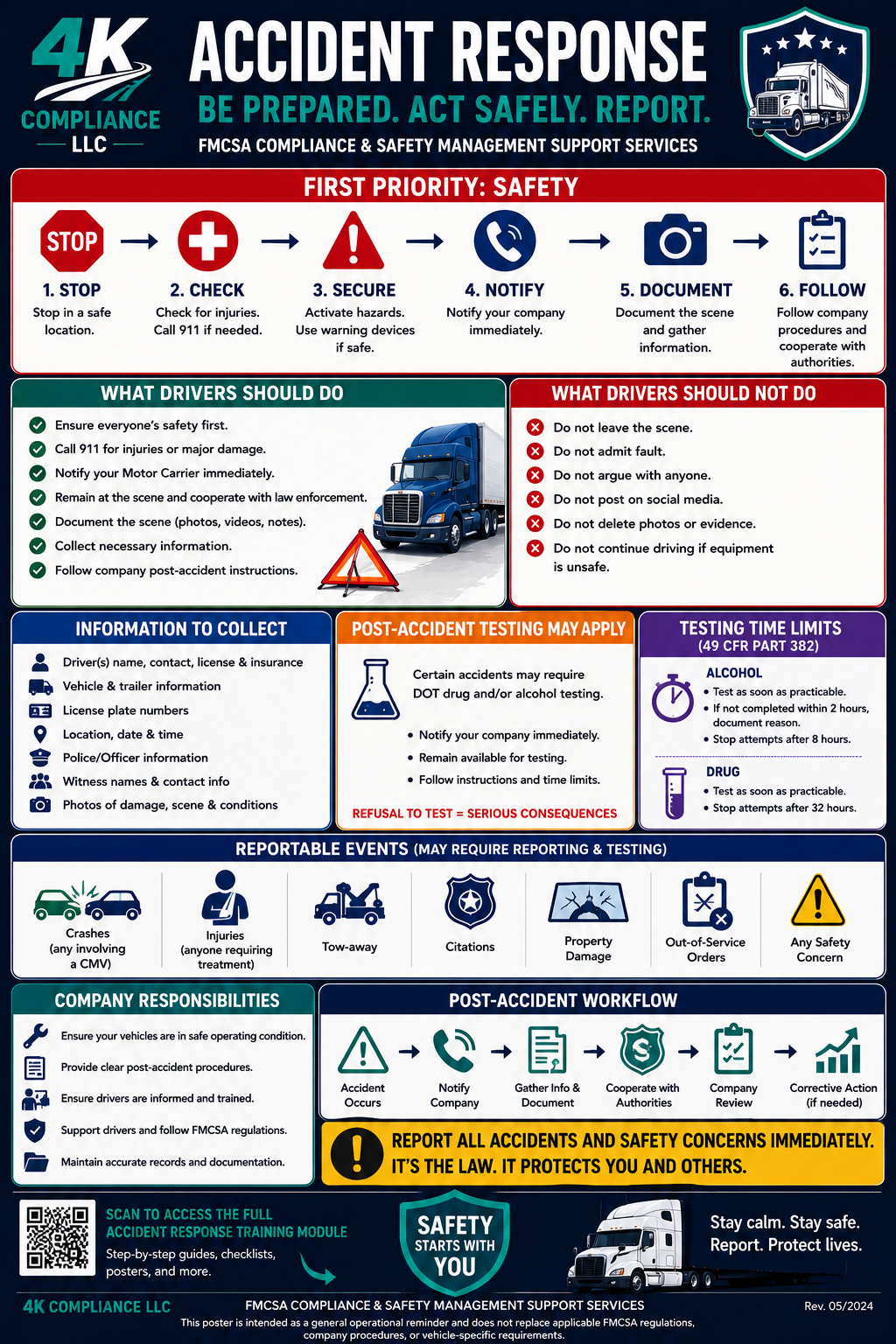
Safety Library (5 resources) Reference materials and printable posters.
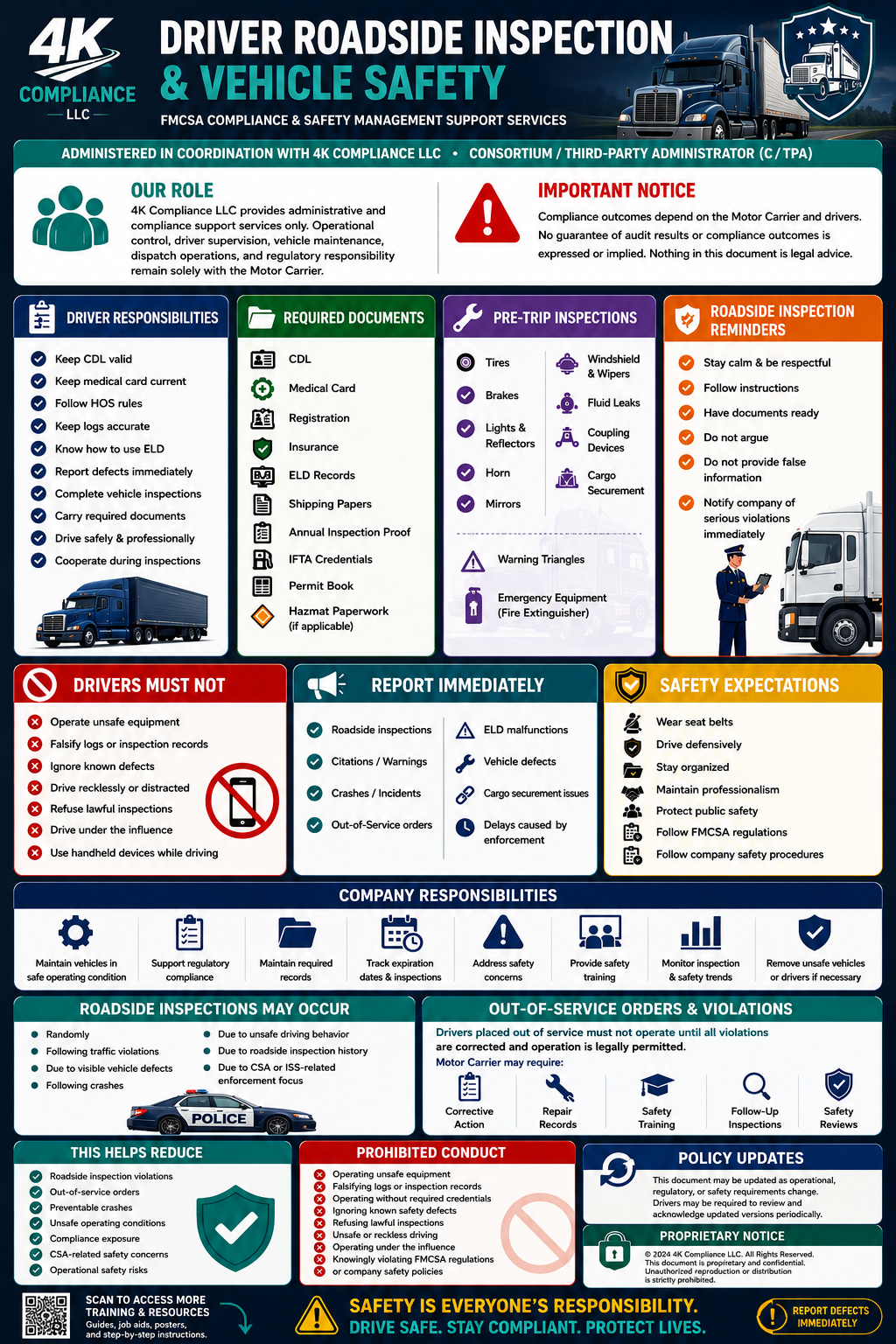
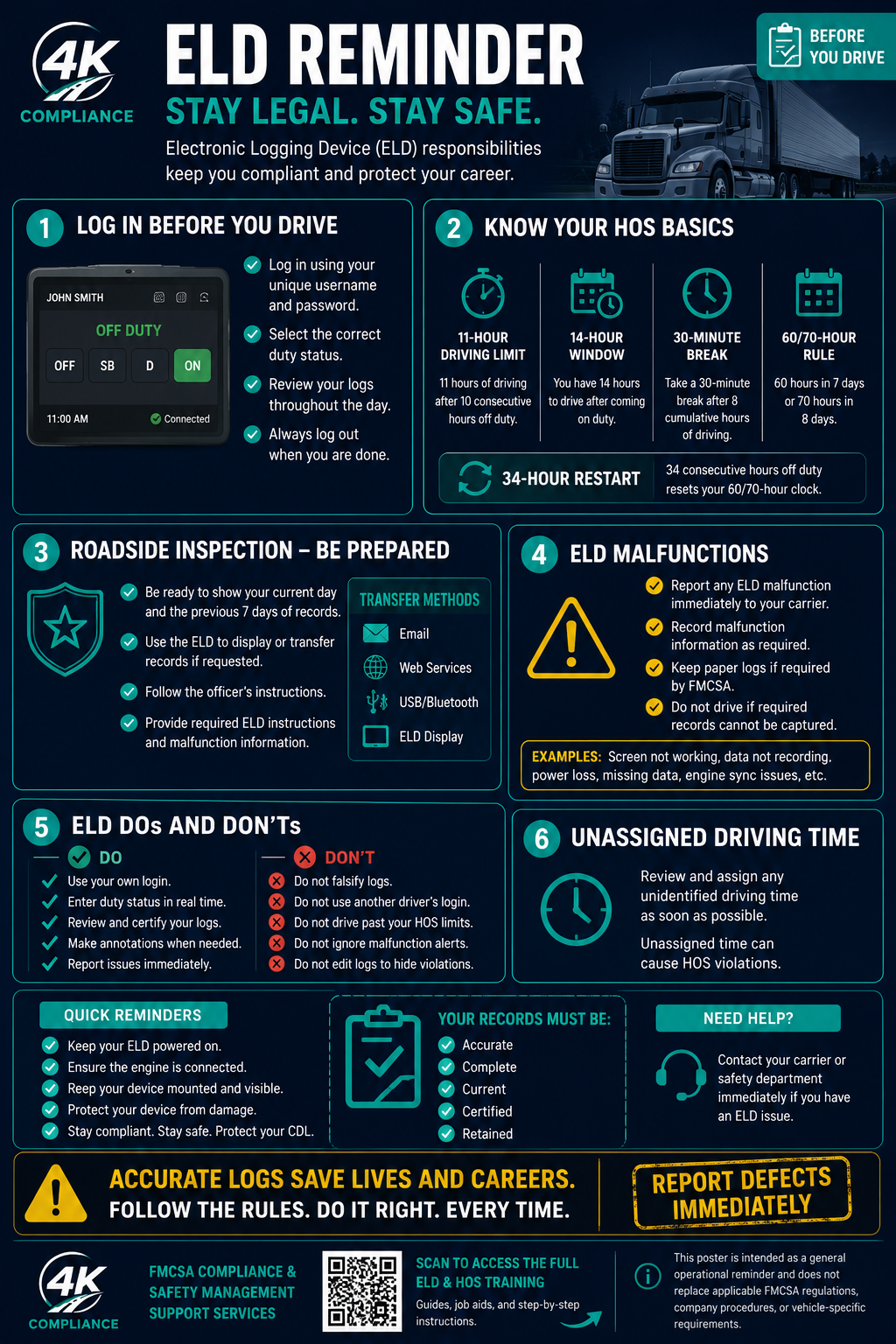
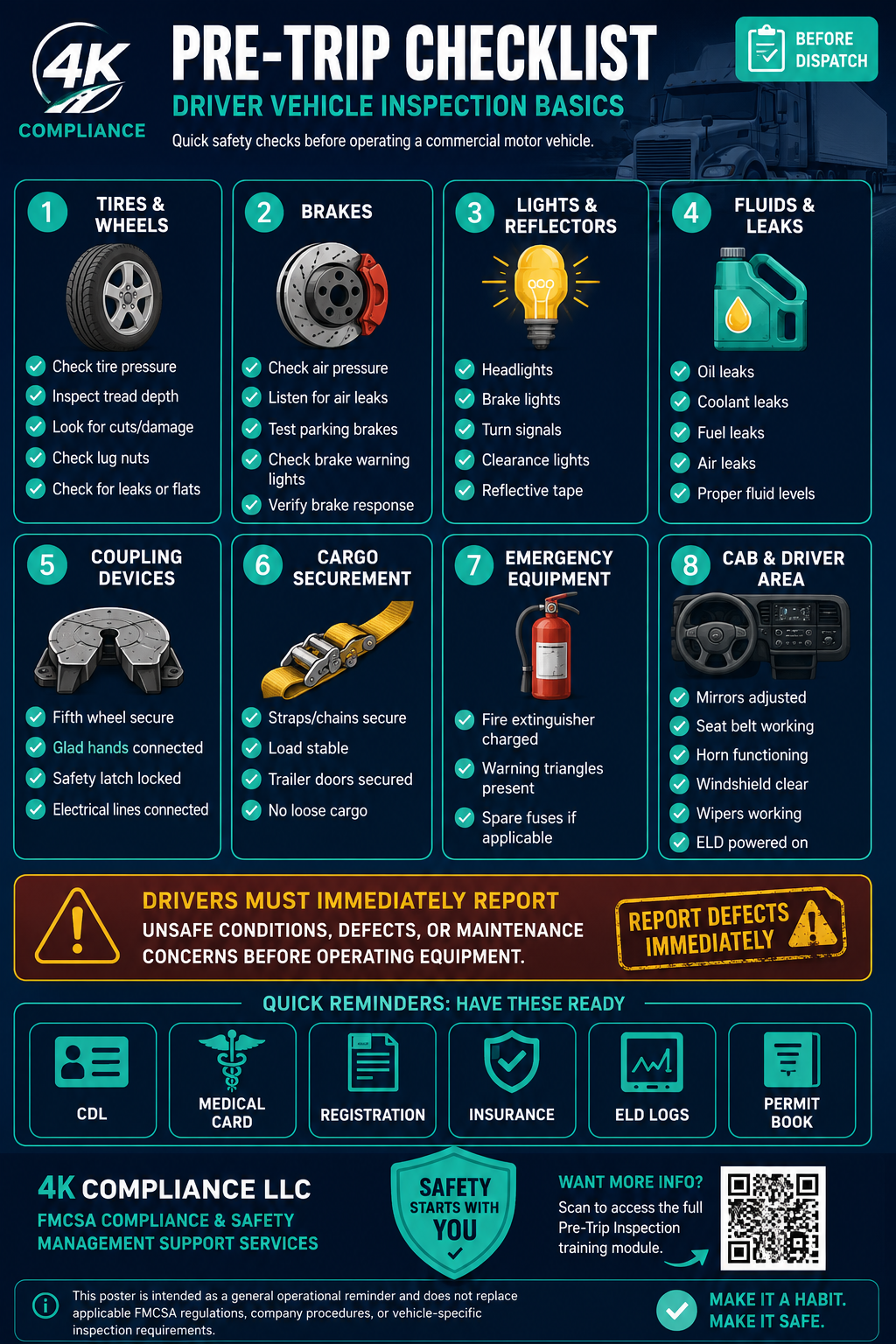
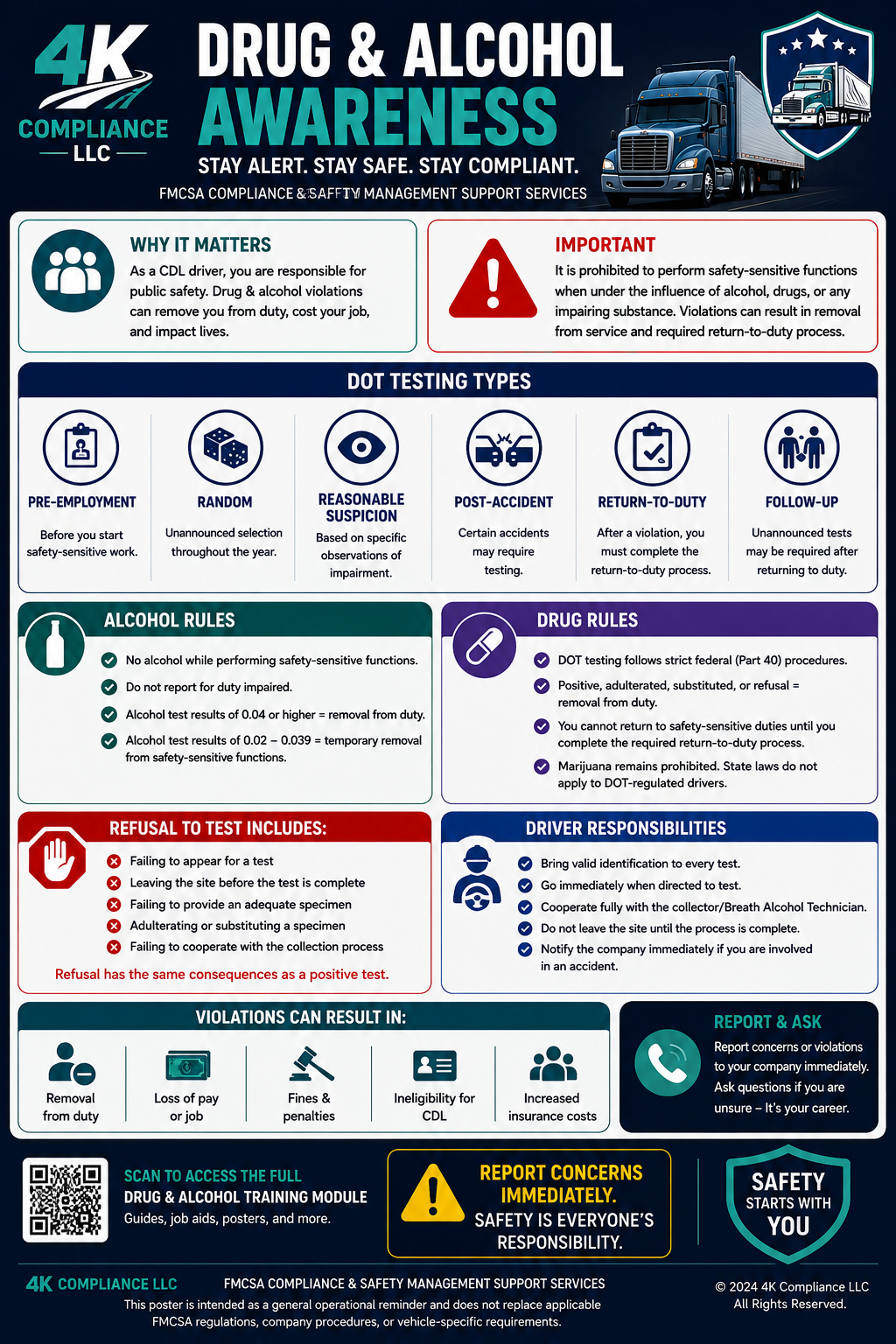
Training Center
Assign training, complete training, and prove completion when audited.
Fleet Progress
Required Training
Driver Completion
Training Records
Upload Driver Document
Upload Driver Document
Documents are stored for compliance recordkeeping and limited to authorized portal users.
Upload Vehicle Document
Upload Vehicle Document
Documents are stored for compliance recordkeeping and limited to authorized portal users.
Upload Company Compliance Item
Upload Company Compliance Item
Visible to: Motor Carrier, 4K Compliance Admin
Documents are stored for compliance recordkeeping and limited to authorized portal users.
Smart Bulk Upload & Auto-Sort
Scan multiple documents, review suggestions, then approve where each file should be saved.
Smart Bulk Upload & Auto-Sort
Scan multiple documents, review suggestions, then approve where each file should be saved.
The portal reads document content for suggestions. Nothing is saved until you approve each file.
Settings
Portal Style
Choose a color personality for your driver portal.
Display Mode
Accent Color
Choose the color used for buttons, highlights, and active tabs.
Profile Photo
Notification Preferences
Choose how often your company receives compliance reminders and audit-ready status reports.
Offline Documents
Preview
Billing / Subscription
Manage the active company subscription after signup. First purchase stays on the public website checkout.
Finish Portal Setup
Create or verify the portal login tied to the paid company subscription.
Invite Portal User
Send secure setup links for company staff and driver portal users. Passwords are created by the invited user.
Portal Access
Privacy & Security
Drivers only see their assigned records. Motor carriers only see their company records. 4K Compliance admins access records only for compliance support, document organization, reminders, and account management.
Compliance documents are stored for recordkeeping and are intended to be available only to authorized portal users. Private document access should use signed links that expire.
Users are responsible for protecting their login credentials and using the portal only for authorized compliance work.
No system can guarantee absolute security. 4K Compliance provides administrative compliance support only, and motor carriers remain responsible for compliance decisions, filings, records, and regulatory obligations.
Notification Templates
Manage automated portal notification and reminder templates.
Select a template
Automated notification template
Preview uses sample data. Internal tests send only to the logged-in admin.
Notification Audit Log
QA Test Checklist
Admin-only test mode. Use clearly labeled test records and emails you control. Do not use real client emails unless you are ready to send live notifications.
Live Test Data Status
Workflow Shortcuts
Manual Verification
Operations & Trust
Admin-only read-only checks for access control, document privacy, inactive users, and data integrity.
Sprint 1 is visibility only. These checks do not delete, archive, migrate, or repair records.
Security Checks
PendingStorage Privacy Audit
PendingInactive User Access Check
PendingData Integrity
PendingDeveloper Tools Hidden
E-Signature Request
Upload a PDF, add signature fields, and text secure signing links.
Service Agreements Use checkout links for new customers or send a one-signature upgrade packet to existing customers.
Service Upgrade Packets
Agreement Dashboard
View status, resend links, void drafts, and download signed PDFs.
Checkout Links
Create prefilled agreement and payment links for assisted sales.
Recent Links
Copy, email, cancel, regenerate, and view status.
Fleet Reporting
Connect ELD and fuel data, review vehicles, and generate mileage and fuel reports.
Review Report
Connect ELD & Fuel Card
Review Vehicles
Data Check
Generate Report
Internal Quote Calculator
Admin-only pricing logic for fast, consistent service estimates.
Plans are based on active CDL drivers being tracked. Archived drivers do not count toward your plan limit.
Service Modules
Government fees, state fees, taxes, IRP invoices, IFTA tax payments, 2290 HVUT payments, UCR fees, LLC filing fees, insurance premiums, testing fees, MRO fees, SAP costs, collection site fees, and third-party vendor charges are not included unless stated in writing. 4K Compliance provides administrative compliance and filing support only. The motor carrier remains responsible for accurate information, timely approvals, payments, safe operations, and final compliance responsibility.